 SolarDashboard
Your solar system on iPhone, iPad, Mac and Apple Watch
See what your photovoltaic system is doing right now, get a forecast for the coming days and understand where your kilowatt-hours go. SolarDashboard uses your solar surplus to charge your electric vehicle, heat hot water with your heat pump or power Matter and HomeKit devices – so you keep more of your own green energy.
Get SolarDashboard for iPhone, iPad, Mac and Apple Watch.


How it works

Connect your solar system
Sign in to your inverter or battery manufacturer – SolarEdge, SMA, Huawei, Fronius, Enphase and many more – and see production, consumption and battery at a glance. Local devices in your home network are found automatically. With Pro, add plants of further manufacturers next to it.
Take it everywhere
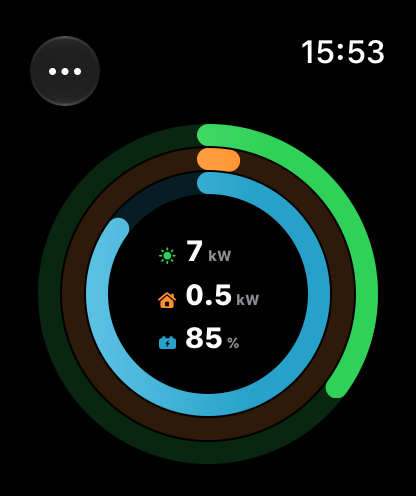
The dashboard follows you to iPad, Mac and Apple Watch. The rings on your wrist and the complications on your watch face show the current solar power, consumption and battery level.

Plan with forecast and Insights
The solar forecast tells you how much your system will produce today, tomorrow and in the coming days. Insights show your best and worst days, your base load at night and what your system saves.
Use your solar power automatically
SolarDashboard measures the surplus and starts your EV charging, your heat pump's hot water or your Matter and HomeKit devices when there is enough sun – instead of feeding the electricity into the grid for little money.
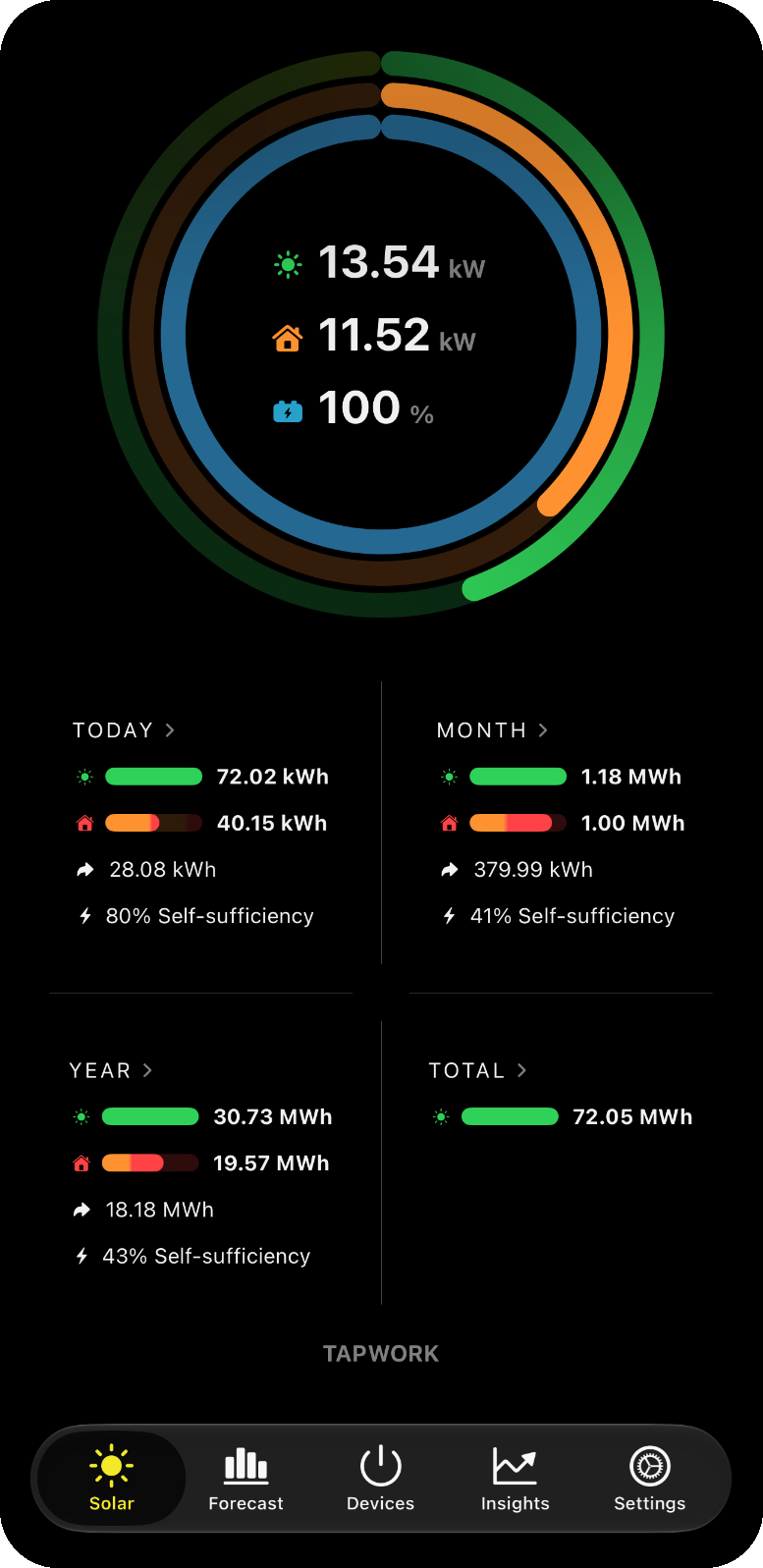
Solar production, consumption and battery at a glance
Live rings show how much your system produces, how much your home consumes and how full the home battery is. Below, today, this month, this year and the total with self-sufficiency and feed-in.
Tap any day for its power flow hour by hour: production, consumption, grid and battery – today's for free, every other day with Pro. Widgets on the Home Screen and the Lock Screen keep the most important values in view.
SolarDashboard on your Apple Watch
A glance at your wrist: the rings show the current solar power, consumption and battery level of your plant. Swipe for today's, this week's, this month's and this year's energy.
Complications bring the values to your watch face and the Smart Stack. The watch gets its data from the iPhone – no separate login, no credentials on the watch.
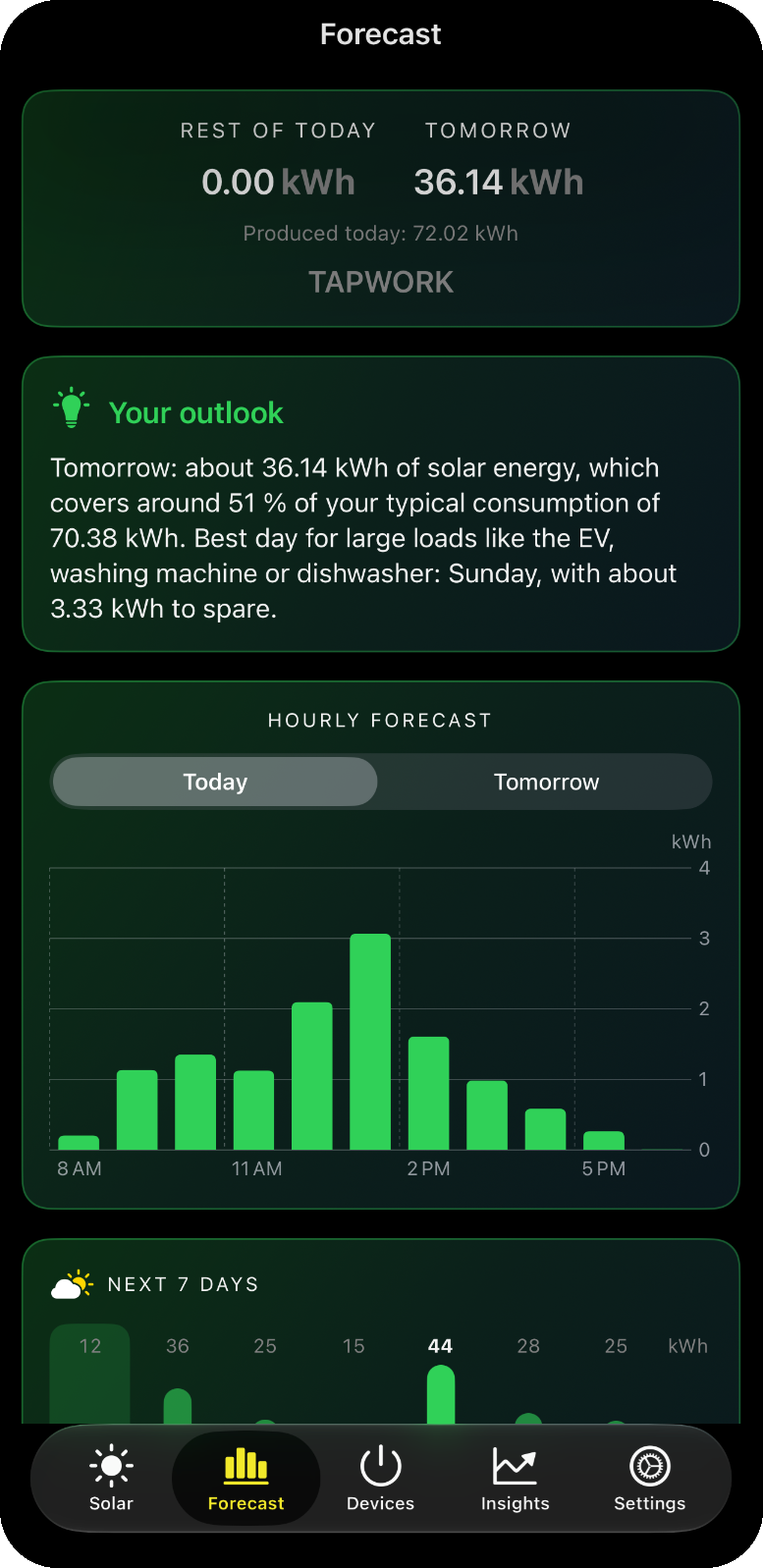
Your solar forecast for the coming days
SolarDashboard calculates from the weather forecast how much your system will produce today, tomorrow and in the next seven days – hour by hour, based on the peak power of your plant.
Plan the washing machine, dishwasher or the next charge for the sunniest hours. Optional notifications tell you in the morning what to expect and when the sun comes back; the Energy Coach plans the week with you on Sunday evening.
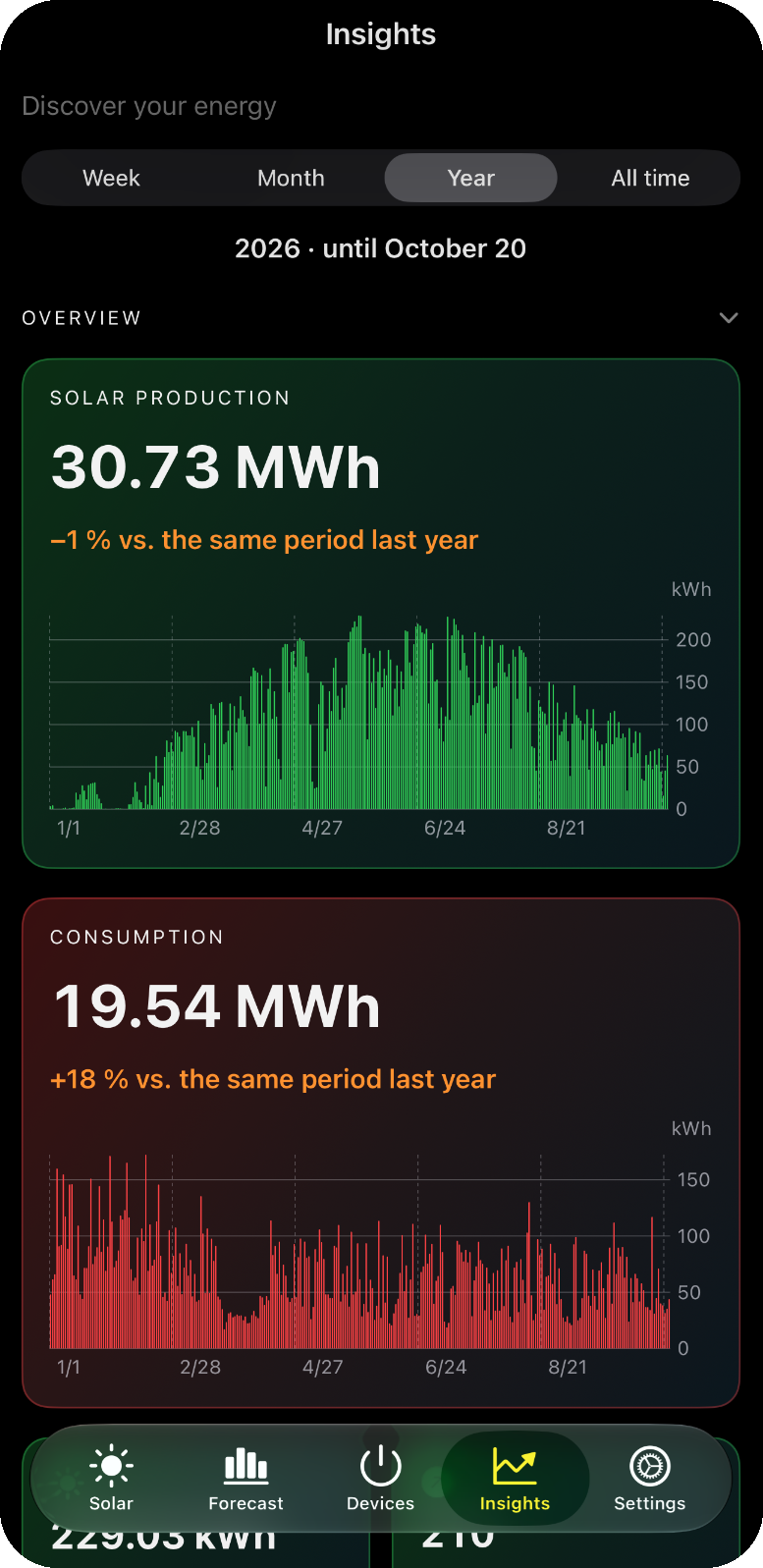
Insights: understand where your kilowatt-hours go
Production and consumption for the week, month, year and all time, compared with the same period in earlier years. Your best and your weakest day, the strongest hour and your self-sufficiency day by day.
A heatmap shows when your home uses energy, the base load at night reveals what runs all the time, and the battery analysis shows cycles, grid charging and what a battery would bring you. Savings, payback and CO₂ avoided tell you what the system is worth.
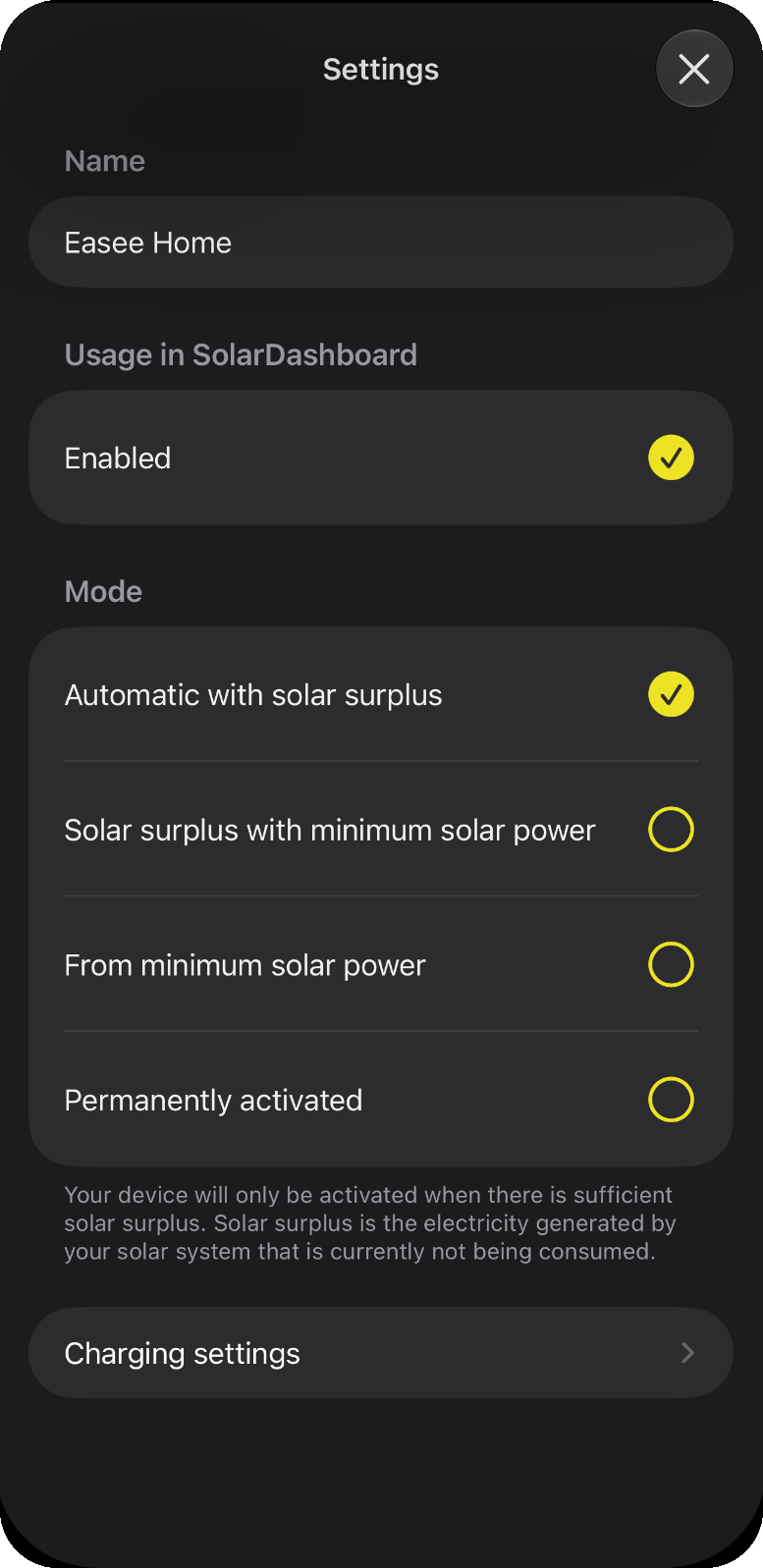
Charge your electric vehicle with solar power
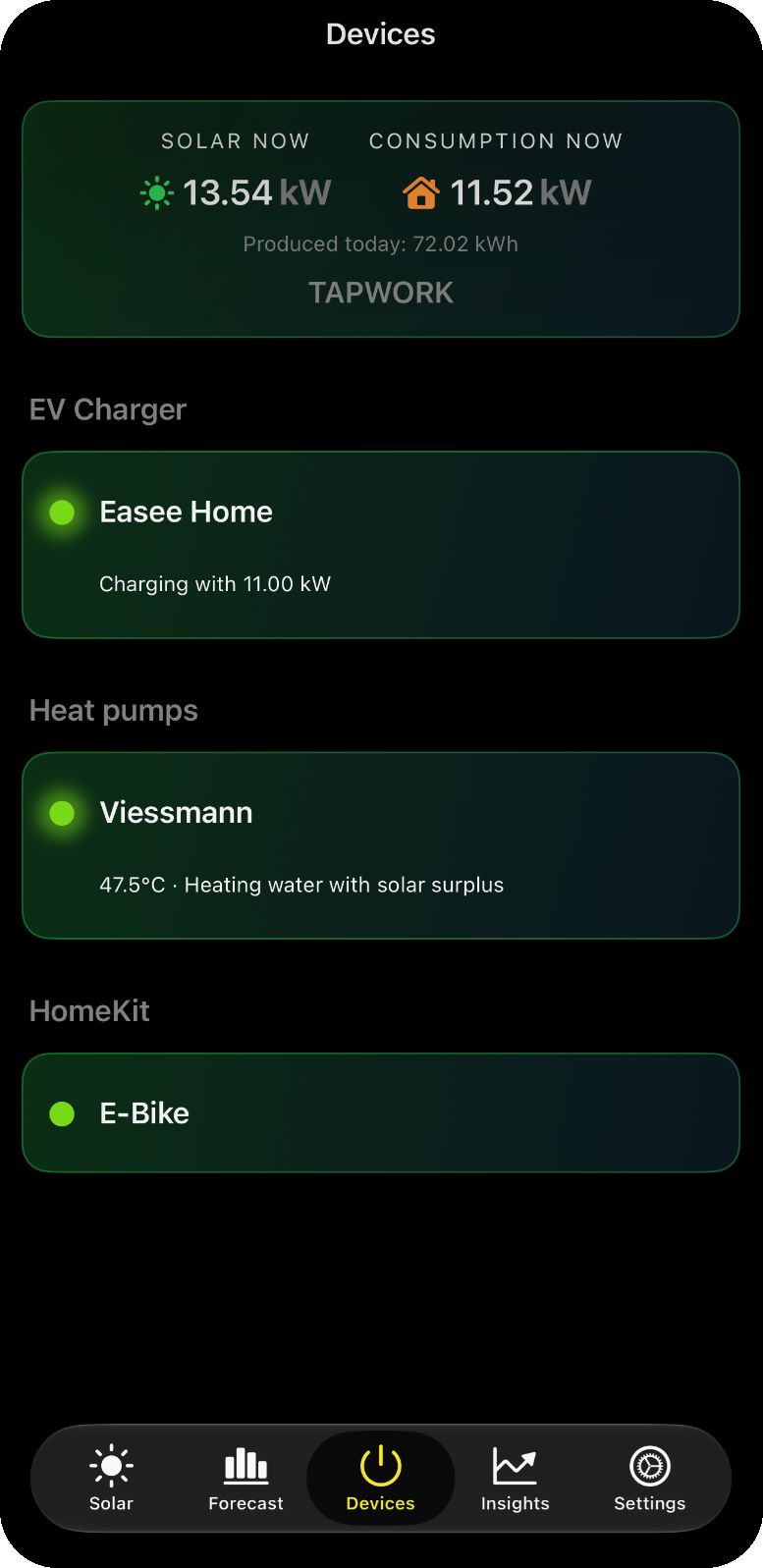
Home charger support: Alfen, Easee, Fronius Wattpilot, go-e, NRGkick, SMA, Wallbox Pulsar Plus and Zaptec charge any electric vehicle with your own green energy.
Dynamic charging: SolarDashboard adjusts the charging power and, where supported, the number of phases to the available surplus.
EV integration: Audi, Skoda and Seat/Cupra vehicles can be started directly. Your rules: minimum battery level, minimum solar power, charging limits and the order in which your devices share the surplus.
Hot water from solar power for your heat pump
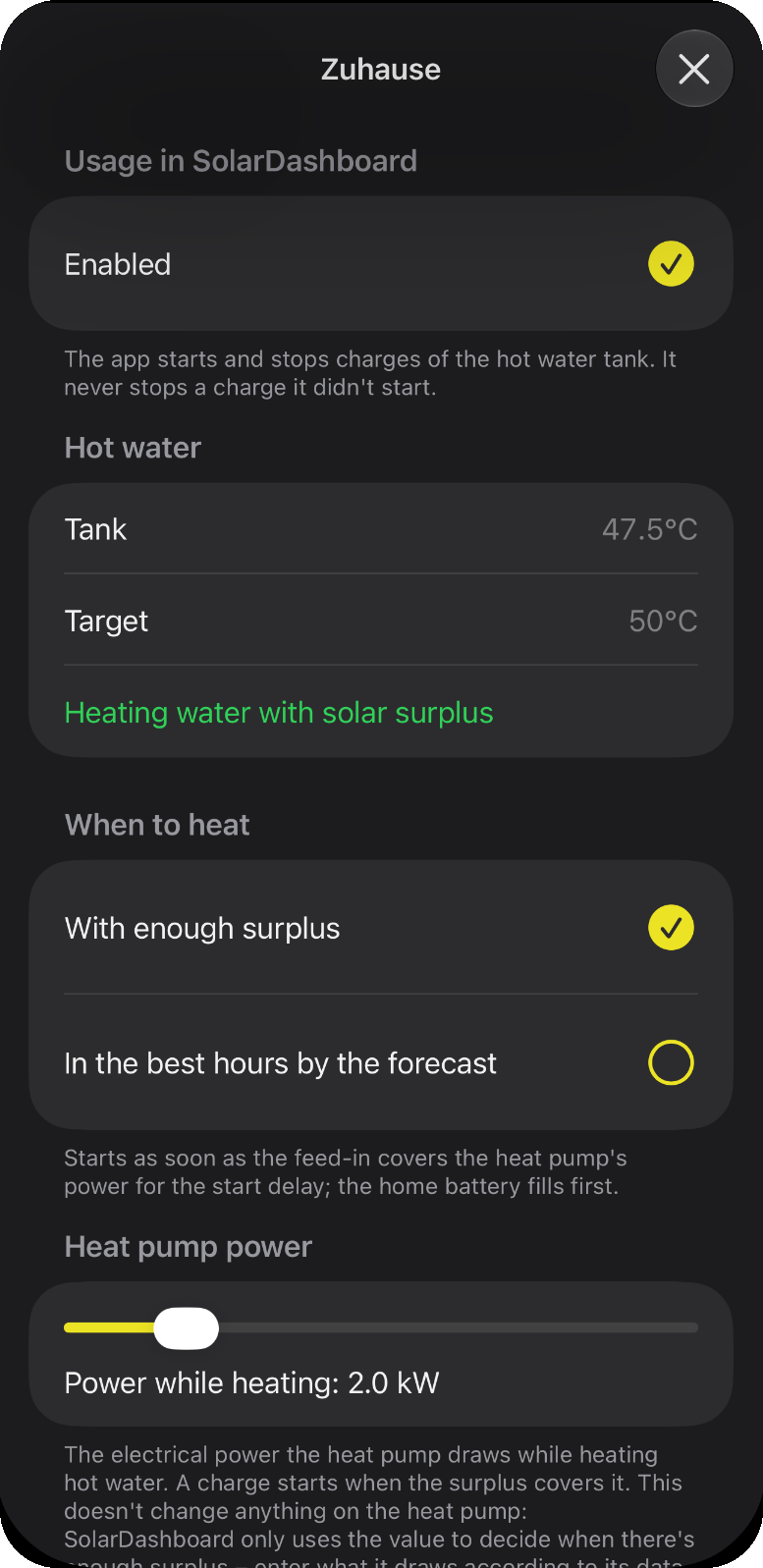
Connect your Viessmann, Vaillant or Stiebel Eltron heat pump and let SolarDashboard heat the hot water tank when there is surplus – or in the sunniest hours of the forecast.
A one-time charge is always just a tap away. SolarDashboard guards against short cycling and keeps your own settings.
Use solar power for Matter and HomeKit devices
Power Matter and HomeKit-compatible devices with energy from your own photovoltaic system: smart plugs, Shelly switches, infrared heaters, air conditioners, pool pumps or the e-bike charger.
Some users run the warm water or pool heating with outlets like Eve Energy or Shelly relays via Matter, installed discreetly behind a wall switch.
Free and Pro
Everything that tells you what your plant is doing right now is free. SolarDashboard Pro adds automation, history and money: a monthly subscription through the App Store, cancel anytime.
Always free
Live dashboard, power flow and battery for today, solar forecast for today and tomorrow hour by hour, Insights for the current week, your solar year, the Apple Watch app with complications, widgets, device setup and home network search, tariffs and the heat pump's one-time charge.
Charge with surplus
Your EV, wallbox and HomeKit devices run on solar surplus: plug in, and SolarDashboard starts once there is enough sun.
Hot water from the sun
SolarDashboard heats your heat pump's tank when there is surplus or in the sunniest hours of the forecast.
Months, years & comparisons
Look back over whole months, years and the total – and see how they rank against the same time in earlier years.
Energy flow in detail
For every day, month and year: where your energy came from and where it went – with battery, charge level and the values of every hour and day.
Savings & payback
What your system saves each month and year, how far it has paid for itself and how much CO₂ it avoids.
Battery analysis
Cycles, usable capacity, charging from the grid and how often it is full or empty. Without a battery: what one would bring you.
Understand your consumption
When your home uses energy, its base load at night, peaks and unusual readings – so you know where the kilowatt-hours go.
Base load in depth
Every night with its jumps, what the base load costs, what less would bring – and the night hour by hour.
Forecast in depth
The whole week ahead, how well the forecast matched your yield, the year's projection and the yield you got for the sun.
Forecast notifications
A morning briefing with the day's yield and the best hours for washing machine, dishwasher and car – and a hint when the sun returns.
Energy Coach for the week
Every Sunday the plan for the coming days: which days are sunny enough for large loads and when to run them.
Several inverter vendors
Sign in to plants of further vendors and see them all side by side in the dashboard.
Prices vary by country and are shown in the app. Features that were free stay free.
Benefits of SolarDashboard
More self-sufficiency
Use more of the electricity you generate yourself. SolarDashboard shows your self-sufficiency and helps you raise it – with automation and with the right timing for large loads.

Save money
Every kilowatt-hour used at home instead of being fed in is worth the difference between your electricity price and the feed-in tariff. Insights show what your system saves and when it has paid for itself.

Reduce your carbon footprint
With every kilowatt-hour of solar power you use yourself, you avoid grid electricity. SolarDashboard shows the CO₂ your system has avoided since commissioning.
Devices supported by SolarDashboard
Solar inverters, balcony solar, batteries & energy meters
- SolarEdge
- SMA
- Huawei (FusionSolar)
- Kostal
- Growatt
- GoodWe
- Enphase
- Fronius (local API)
- Tesla Powerwall
- Anker Solix
- EcoFlow
- Hoymiles
Home chargers (wallboxes)
- Alfen
- Easee
- Fronius Wattpilot (with phase switching)
- go-e Charger (from V2, phase switching from V3)
- NRGkick
- SMA EV Charger
- Wallbox Pulsar Plus
- Zaptec
Electric vehicles
- Audi
- Skoda
- Seat / Cupra
- Tesla and Volkswagen are not supported because the manufacturers restrict API access for third-party apps. Any EV can be charged with solar surplus through a supported wallbox.
Heat pumps (hot water)
- Viessmann
- Vaillant
- Stiebel Eltron
Smart home
- HomeKit
- Matter
- Shelly (via Matter or HomeKit)
Apple devices
- iPhone and iPad (iOS 17 or later)
- Mac (macOS 14 or later)
- Apple Watch (watchOS 10 or later) with complications
- Home Screen and Lock Screen widgets
- Siri Shortcuts
Frequently asked questions
How does it work?
Can I connect several inverters?
What does SolarDashboard cost?
What does the Apple Watch app show, and does it need the iPhone?
Where does the solar forecast come from?
Does SolarDashboard send my data to an AI service?
Does the app need to run in the foreground?
Which Apple devices does SolarDashboard support?
Which heat pumps are supported?
Can I set a battery level that is always charged even without sun?
How are third-party usernames and passwords handled?
How can I connect Shelly or Home Assistant devices?
Get SolarDashboard
Your solar system on iPhone, iPad, Mac and Apple Watch – with forecast, Insights and the solar surplus for your EV, hot water and smart home.